
Book a demo

The team owner’s screen

Each owner signs in on their phone with a mobile number and PIN, or by scanning their QR code. There is nothing to install. They see their purse, how high they can go for the player on the block, and what every rival can still afford.

Screens from a demo auction on KreonBid
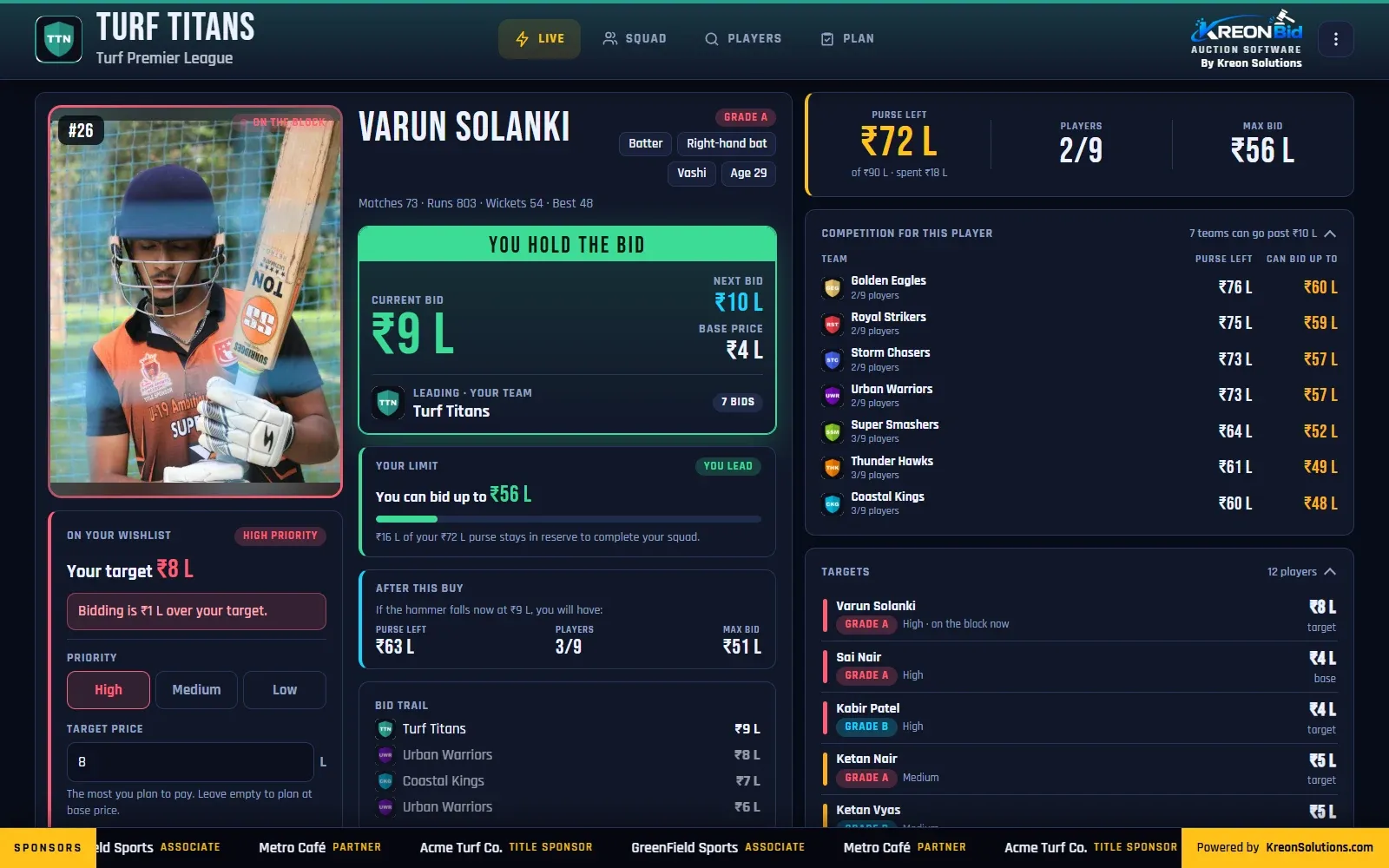
KreonBid owner screen showing “You hold the bid”, the team’s limit, purse after this buy and rival teams’ limits
Owner screen: “You hold the bid”, your limit, what you will have left, and how far every rival can go.
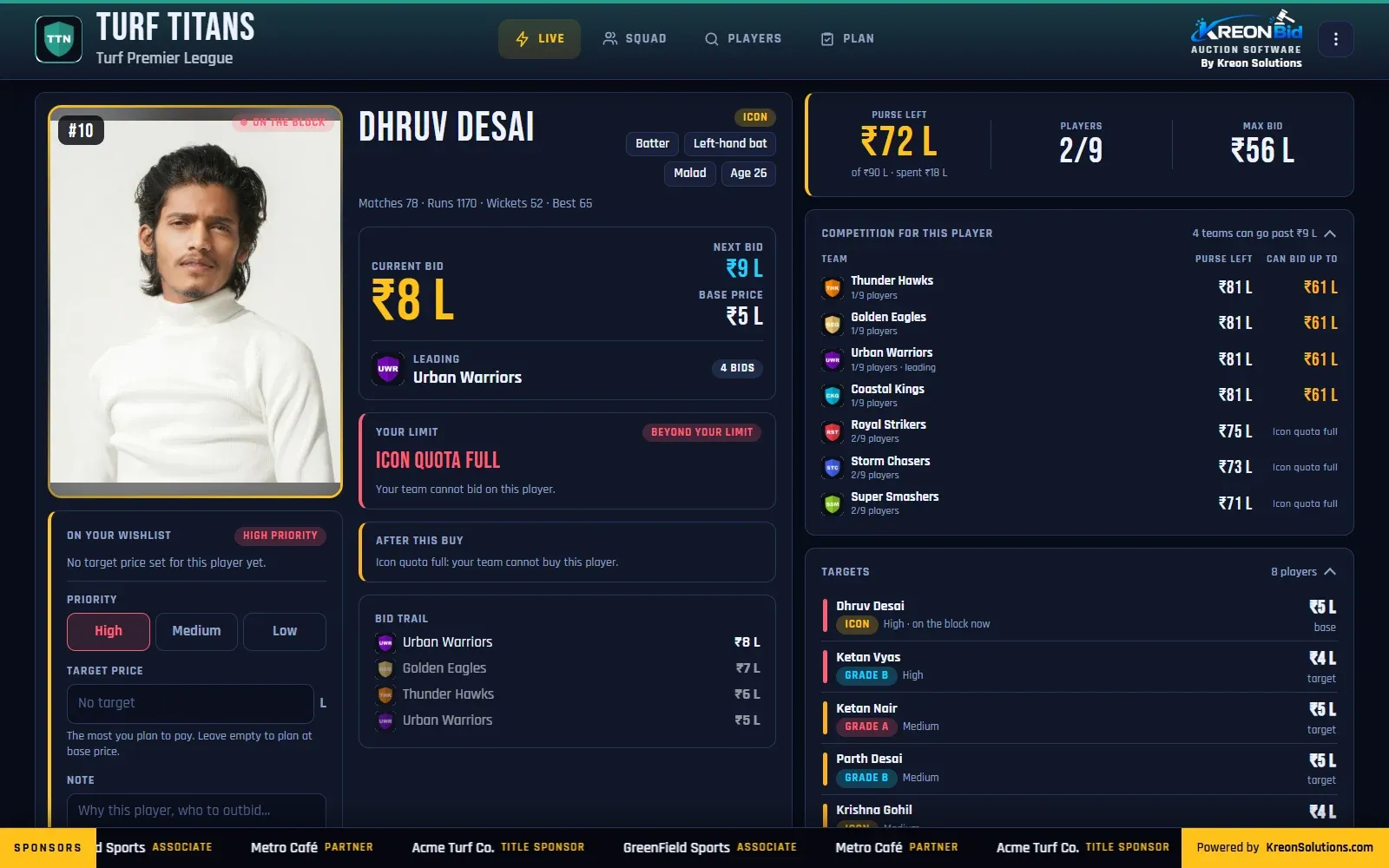
KreonBid owner screen showing “Icon quota full: your team cannot bid on this player”
Owner screen: the rules at work. This team’s Icon quota is full, so it cannot bid.
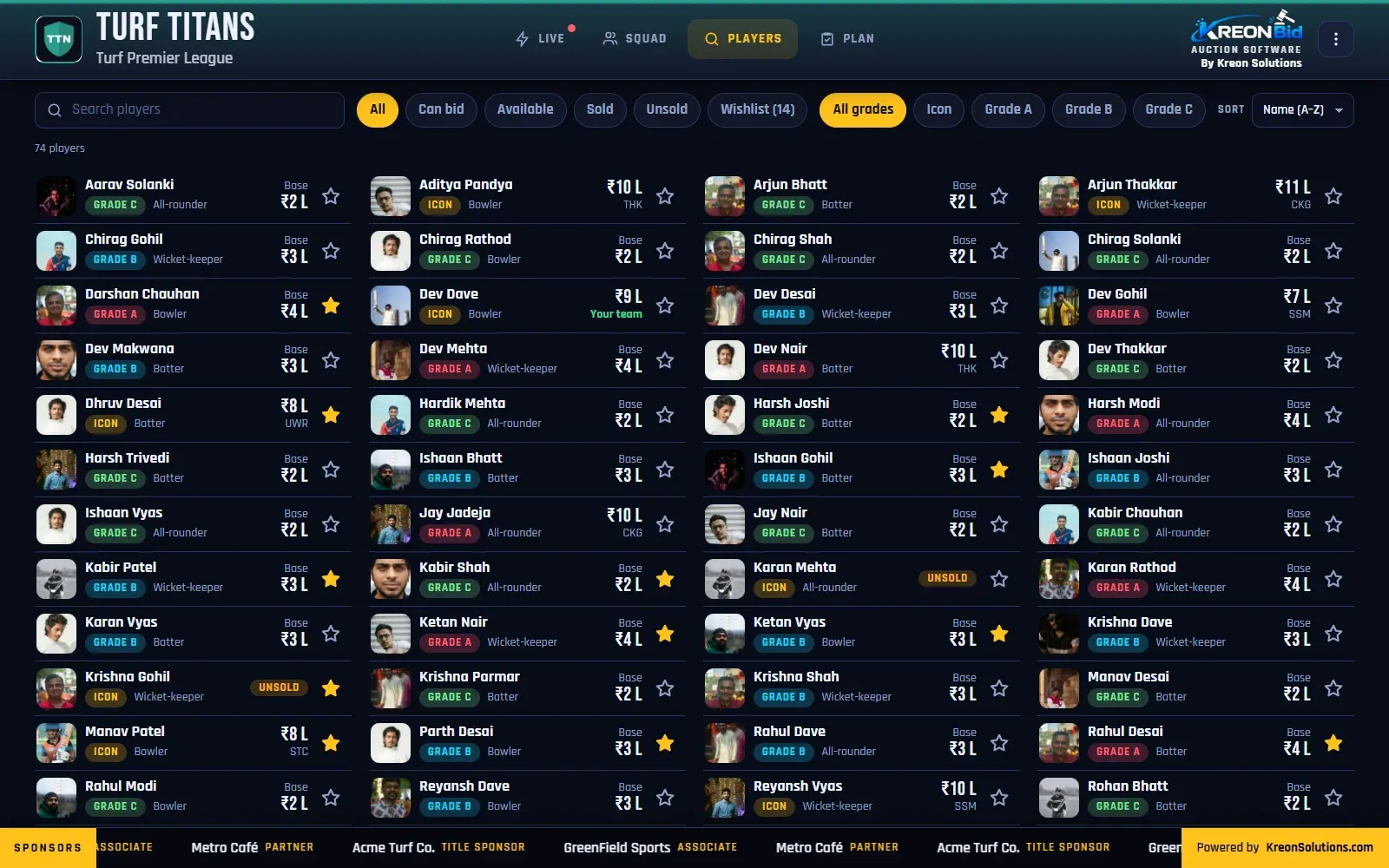
KreonBid owner screen listing all players with set, base price, status and wishlist stars
Owner screen: every player, with filters by status and set. Data saver swaps the photos for initials on slow connections.
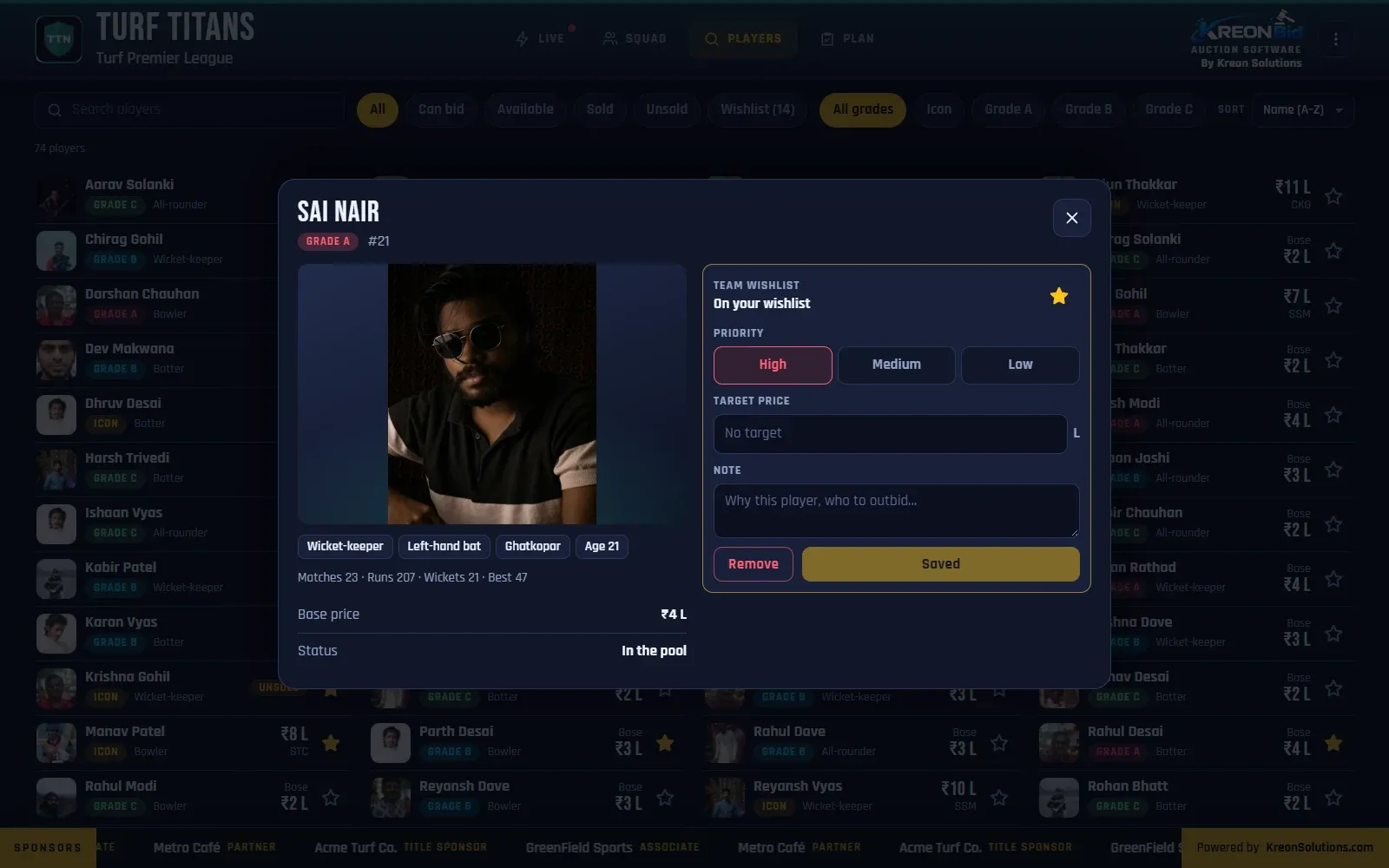
KreonBid player details popup with wishlist priority, target price and note
Owner screen: player details, with wishlist priority, target price and a note.
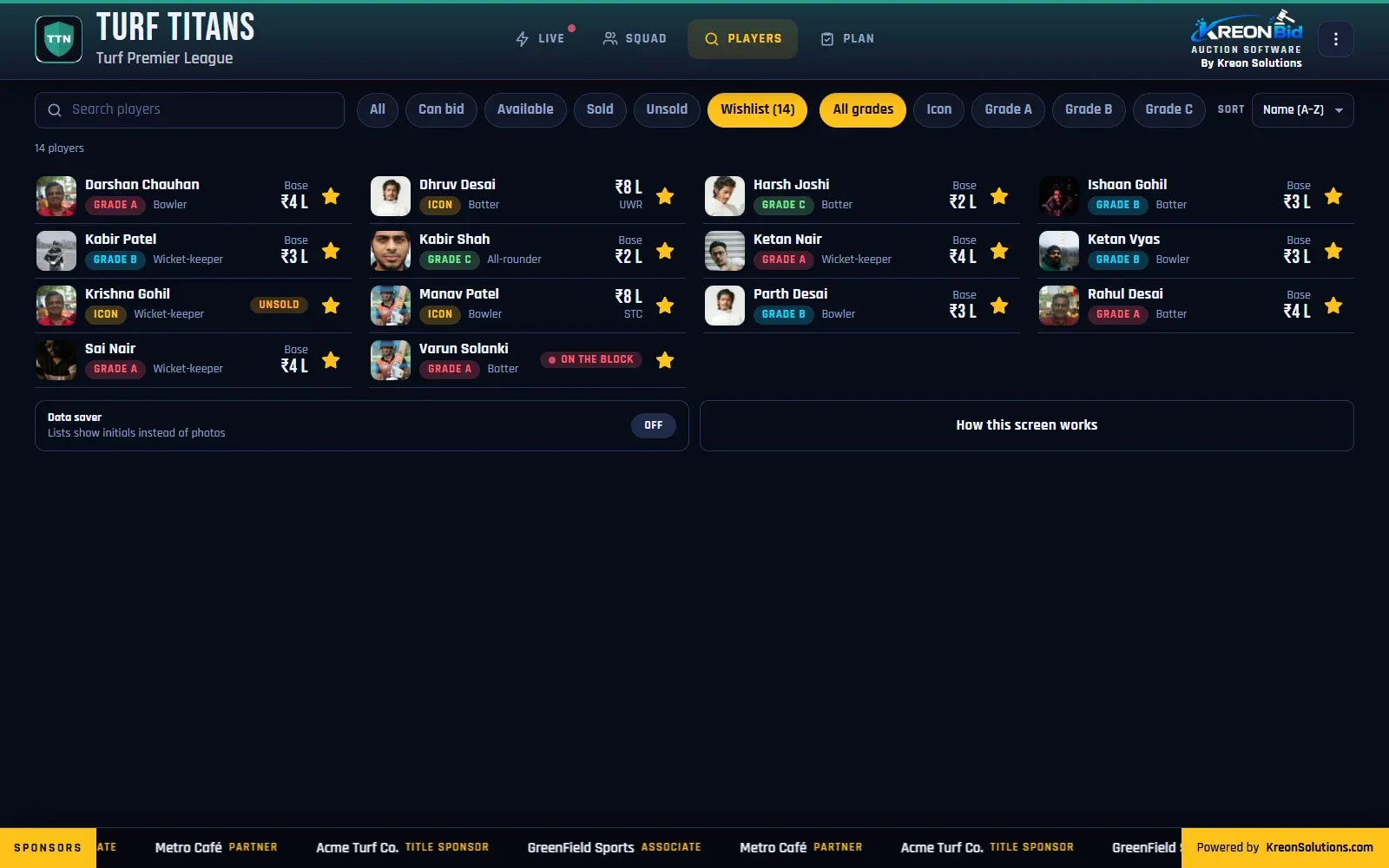
KreonBid owner screen filtered to the team’s wishlist
Owner screen: the team’s wishlist.
01

Live tab

  • Purse left, players bought and max bid in one row
  • The player on the block, a moment after the LED reveals them
  • Current bid, next bid and base price; “You hold the bid” when your team leads
  • Your limit for this player, and the reserve kept back
  • “After this buy”: purse, players and new max bid if you win at this price
  • Confetti and “Yours!” when you win
02

Know the competition

  • Every rival, most dangerous first, with purse left
  • How high each rival can go for this player
  • “N teams can go past ₹X” at a glance
  • A price guide: sold count, average and highest price per set
03

Wishlist and targets

  • Star any player to add them to the wishlist
  • Priority (High, Medium, Low), target price and a note
  • Warnings when the price nears or passes your target
  • Shared by everyone signed in for the team
04

Squad and plan

  • Your squad with prices, and slots left per set (“Need 1 more”, “Full”)
  • Targets total against your purse, after reserve
  • Warnings: more targets than slots, or targets over budget
  • Players you got, and players gone elsewhere
05

Take-aways

  • Your team’s poster, ready for WhatsApp and Instagram
  • Your squad list with contacts, as Excel
  • Other teams’ phone numbers are never sent
06

Easy on the phone

  • Data saver shows initials instead of photos on slow connections
  • A one-minute guided tour on first sign-in, using a pretend auction
  • Works on phones and laptops
FAQ

Questions, answered.

Do team owners need to install an app?

No. The KreonBid owner screen runs in the phone’s browser. Owners sign in with their mobile number and a PIN, or by scanning their QR code.

How does an owner know how much they can bid?

The owner screen shows the team’s max bid for the player on the block, worked out from the purse left after keeping enough money to fill the rest of the minimum squad at base prices.

Can owners bid from their phones?

No. Bids are taken by the operator in the hall, so the auctioneer stays in control. The owner screen is for following the auction, planning and tracking limits.

Can co-owners and captains use the same team?

Yes. Each person gets their own login for the team, and everyone signed in for a team shares its wishlist.

Book a demo

See a full auction running, before yours.

We will run a demo auction on the LED screen, the console and your phone, and talk through your league’s rules.